Category: Technology

  • dConstruct 2010

    So on Wednesday I get asked if I would like to attend dConstruct at the Brighton Dome. My normal reaction to anything not predetermined within the last month gets an automatic ‘no’ response. However, I thought this would be good for me and would (if nothing else) mean 2 days out of the office.

    Before I break down the event itself, I want to reiterate a few things. I’m a developer NOT a designer. As much as I would love to be both, it just ain’t gonna happen. You are talking about someone whose art teacher laughed at one of his projects to his face. Someone who by stage 5 of every single Photoshop tutorial gives up as the piece of shit on his screen looks nothing like the example. I really enjoy my job as a Software Engineer for a private investment company. We deal with the company’s portal which is only ever seen by a small number of clients. I develop in my spare time and am a keen learner of any new technologies. I don’t idolise other proficient developers/designers/gurus or wish to discuss developing down the pub with my mates.

    Day 1 – Designing a Flexible Process with Simon Collison

    My expectations
    I am a man of logic and reason. I have never been involved with a project that has run perfectly. This should be ideal as it will show me an approach that I can adopt in the future and everything will be plain sailing.

    What happened
    Simon was a nice and approachable chap with bags of enthusiasm and experience. We followed the processes which he has adopted in the past with varying degrees of success. This doesn’t sound good ‘varying’. We were constantly reminded that every client is different and requires an agile approach. It doesn’t look like I’m not going to get the ‘perfect project process’ formula I was after. The team exercises were really good fun and reminded me of the initial excitement you get when starting any new project. Overall it was aimed predominantly at design agency-esq businesses. Which was probably right looking at the rest of the audience.

    Relevance To Me – 3/10

    Relevance To Designers – 8/10

    Stuff Learnt

    1. I need a new Macbook Pro (Everyone in there had a more recent model)
    2. To start any project you need to consider all platforms (iPhone, iPad, Televisions)
    3. I need to change my new site scripts to create media specific CSS
    4. I need to use the Javascript moderniser script to upgrade all browsers to be HTML5 and CSS3 compatible

    Day 2 – The Conference

    Marty Neumeier

    A good start. A really interesting talk regarding the history of businesses and how they’ve adapted. Also what role innovation plays in success and how it can go wrong.

    Stuff Learnt

    1. Your product needs to be good and different
    2. Innovation is the key to success
    3. Businesses need to be constantly designing and taking risks

    Score – 8/10

    Brendan Dawes

    A humorous talk with some visually amazing slides. It was all about gathering as much inspiration as possible, considering what you have, and then reducing it to perfection. Unfortunately not relevant to anything I’m involved in but I’m sure this will be a useful approach for the designers.

    Stuff Learnt

    1. Sometimes you shouldn’t need to explain design decisions, they should just happen
    2. Don’t go to the Piccadilly area of Manchester

    Score – 7/10

    David McCandless

    This talk was about how information is beautiful. I did feel that this would be more for me. I wasn’t disappointed. He had some excellent examples of misleading information. And how that putting information in another context can create some compelling results.

    Stuff Learnt

    1. Despite having quite a dry data set, it can be made more interesting
    2. You can establish patterns more clearly once the information has been organised in a more visual manner
    3. The media clearly have an Outlook reminder for scaremongering

    Score – 10/10

    Samantha Warren

    This discussion was about Typography. A subject I have little knowledge of. She was very enthusiastic and clearly loves what she does. It was a mainly male audience so I wasn’t sure about the shoe analogy really worked for the audience. Give a girl a microphone and it won’t be long before they start banging on about shoes (sorry I couldn’t resist). To be fair the analogy did work quite well.

    Stuff Learnt

    1. Legibility is vital in a font type
    2. The character of the font should emote the context it sits in

    Score – 7/10

    John Gruber

    He opened by showing a tweet from one of the audience which was a picture of the guy outside the Brighton Dome stating ‘Only 16 hours until the Gruber!’. He asked the guy to raise his hand, and these really excited hands came up waving frantically. I turned to my colleague ‘what a douche’. He discussed that any project is only going to be good as the controlling force behind it. The analogy he used was that of film directors, particularly Stanley Kubrick. Who took control of every single aspect of the filmmaking process.

    Stuff Learnt

    1. If you are in charge ensure you listen to the people with more talent than you (a key lesson I wish some previous project managers I’ve worked under would have listened to)

    Score – 7/10
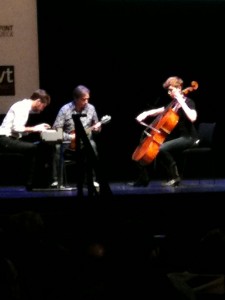
    Live music at dConstruct
    Live music at dConstruct

    Hannah Donovan

    Hannah started with some improv live music which was awesome. That was until the dick whose phone rang mid-way through. Hannah discussed the importance of improvisation in design teams. She mentioned the developer fort where a team of techies go to a castle and have to build something from scratch with no Internet. Sounds like a great team-building and inspirational exercise.

    Stuff Learnt

    1. To improv you need to be able to be awesome at the tools you use (basically I need to step up my Photoshop learning)

    Score – 6/10

    James Bridle

    An interesting (if not depressing) look at how historically we have managed to lose so much interesting data. That we are at a frontier of information and should therefore ensure that we keep everything. A really great example was used regarding the Iraq war Wiki page. I won’t spoil it though in case he does another similar talk.

    Stuff Learnt

    1. erm…..always back up your data?

    Score – 5/10

    Tom Coates

    Probably the most visually stunning presentation. Some great videos and animations. The talk did get me excited about the prospect of household items all being plugged into the Internet. I found the boundaries on ownership particularly interesting. Basically, because our stuff would be wired into the network we would know where it was via geolocation. So no matter where it was or who had it we would still know it belonged to us.

    Stuff Learnt

    1. The future is bright
    2. Eventually, everything will be networked

    Score – 8/10

    Merlin Mann

    A good one to end on, as definitely the most amusing of the speakers. He started by calling everyone ‘nerds’ and then went into the difference between ‘nerds’ and ‘geeks’. A ‘geek’ will come around and fix your PC for you, and a ‘nerd’ will want to talk about the PC for an hour before fixing it. A ‘nerd’ is really obsessed with something.

    Stuff Learnt

    1. I’m a geek and not a nerd
    2. Don’t stay obsessed with just one thing (he gave an example of a Photoshop expert whose clients dried up)

    Score – 7/10

    Conclusion

    Overall, it was a great experience and I’m glad I went. I’m too logical in my approach to things to get enough out of the 2 days. I was getting fed up with the analogies by the end of it all. I’m sure for the designers this would have been perfect. I did actually speak to a couple of people who had attended previous events and they all suggested that it wasn’t as good as previous years.

  • SVN Magic

    My company recently hired a new developer which brought the number of developers to….(drum roll)…Four! OK, not a really significant amount but enough for us to need a more effective code change reporting system. We needed a way to alert developers of any changes made to their files. The system I managed to put in place has been running for about a week and I thought I would do a blog post to maybe help other small development teams to introduce something similar. The solution I set out to achieve was this …

    A daily email is sent to every developer with a list of files that have been changed the previous day. The list will only include files that this particular developer had previously added or changed. Attached to the email is an HTML file containing a more detailed view of the changes made to each file.

    If you think this would be useful for you then continue reading. The first step was to store the details of each SVN commit in a DB table. This was accomplished by creating a script that was called after every commit. SVN comes with a selection of ‘hooks’ which are executable bash scripts that run after (or before ) a specific SVN event occurs. Simply go to your SVN hooks directory and copy the template file post-commit.tmpl as post-commit. Add the shell commands required to call your script and make it executable.

    chmod +x post-commit
    

    My script uses the Repository and Revision variables passed via SVN to carry out an svnlook on the repository for that revision. I use the PHP system call to store the output in a variable (use square quotes “). I then use the PHP explode on the new lines (n) to generate a nice neat array of variables. I simply store each of the files involved in the commit in my DB table along with the revision number, the author, the comment, and the DateTime.

    My second script does the main leg work. I firstly added the script to our crontab to run every morning. The first thing the script does is return all of the commits for the previous day. For each file, it runs svn log and stores the output in a variable. By using some exploding and other PHP string functions the scripts gets the output into a manageable format. From this information, we determine who previously changed this particular file. We use the author name as the main KEY of a large array we’ll use later. In the array, we store all of the information we think may be useful to include in our final email.

    Now for the cool part. We export the previous revision of this particular file to a temporary directory and also the latest version of this file.

    svn export --revision 120 file:///my_repos/blog.html temp/temp1.txt
    svn export --revision 121 file:///my_repos/blog.html temp/temp2.txt
    

    We use a 3rd party Pear class to give us a comparison array of the two files (showing new code snippets, changed code snippets, and deleted code snippets). We add some final gloss to our email by using some 3rd party syntax highlighting.

    OK, at this point we should have our enormous array of SVN usernames and file details. All we need to do now is loop through each SVN username key and create our email. I have a template system in place that takes care of displaying the diffs between the files. I simply write this to an HTML file and attach it to the email. I have a list of email addresses in the database assigned to each SVN username. And you’re done.

    Please let me know if you would like any further details on this and I’ll elaborate on those points. Good Luck!

  • Before you get cracking on with Photoshop Tutorials…

    I’ve recently entered the world of Photoshop and believe me if you’re from the world of Paint Shop Pro it’s very dark and very scary. Some full-time designers will snigger at my ineptitude with Photoshop CS3 but that’s because they’ve been using it for so long that all of these things have become second nature to them. So how to get started? Well, there’s PSDTuts which is great, but any simple task such as drawing a circle is a complicated set of steps in Photoshop. There are some great YouTube clips on how to use individual tools for example the Pen tool. The tutorials, however, require a combination of tools to create anything of any use. So how did I get started? Well with a carrier bag of Australia’s finest lager I visited my sister or more accurately Gary her designer boyfriend. I learned more in 2 hours with Gary than in 2 weeks of trundling through the web. I’m sharing with you these starter tips so hopefully, you won’t have to go through the pain I went through.

    General Pointers

    • Get the History panel up (Window->History) before you start it will save you hours
    • For everything you do create a new layer (label each layer)
    • Apple D is a great shortcut to un-selecting everything
    • Select -> Inverse when something is selected means you can apply fills to everything bar the selected section
    • Image -> Canvas Size To alter after the initial new File setup
    • Double click the magnifier glass for instant 100%
    • Tab to remove all window tools
    • Tap F to view the project fullscreen

    1. Pen Tool

    Ok, I can draw a sequence of points together but when I try to curve them they seem to curve in the wrong direction and affect other nodes?!?!

    Solution

    The key here is holding shift while adding your point. So even before the nodes have been connected you can create your curve as you need it. Hold alt and click the node after you are happy with it, and this will lock it from any further curvation.

    2. Path or Shape?!?!

    I’ve drawn the shape I want but if I select “shape” from the top menu I can add a fill but no stroke. If I add a path I can’t seem to do anything?!?

    Solution

    Deep breath, put the rage to bed. Choose Paths from the top menu and not ‘shape’. In the bottom right click the paths tab, and double click the ‘working path’. In the dialog box give it a name that makes sense. Hold the Apple Key and click on the saved path (still in the path dialog). Your shape should now be selected which can be affirmed by the flashing dotted line following the path. Now it is selected you can add your fill and stroke which we get to now

    3. Gradient Tool

    I’ve drawn and selected my path and want to add a gradient. I’ve selected the gradient tool but when I click on the selection nothing happens.

    Solution

    You’re going to kick yourself! The Gradients tool is a very advanced tool so unlike my previous experience of using similar tools a simple click is not enough. The PS tool means you need to click and drag to denote the direction of the gradient. By holding down control while dragging you can be sure the gradient will be straight.

    4. Stroke

    The stroke seems to be hidden in the Menu is there an easier way to apply one

    Solution

    Ok, so not really an issue and the question was quite leading but hell ho. With the layer, you want to work on selected you may notice an FX button at the bottom of the layer section. Click this and the whole magic of PS comes into its own. Sure there’s our stroke option but there’s so much more than that. The best thing to do now is to have a play with it and hopefully, I’ve removed some of the initial frustrations that I myself have suffered.

    5. Ruler

    Nothing seems to be lined up and snap to doesn’t put things where I want.

    Solution

    Apple R for Ruler. Click and drag the ruler down for more accurate adjustments. To remove the ruler, click the main selector, select the rule and drag back to the top ruler bar.

    If this has been of any use to you please forward your tins of Lager to me and I promise to forward them on to Gary…I promise.

  • Tomorrows World

    I work in an industry that’s at the forefront of technology, as such I’m constantly thinking about the future. The trouble is it’s just not moving quick enough for my idealistic future. So let me take you on a quick tour of my futuristic Eutopia. To start with every house will come (as standard) with a hidden mass storage device. With the way that flash drive technology is moving, we should have more than enough storage, while taking up very little space. Think of this mass storage device as you would a boiler in our current houses.

    So what are we storing on this mass storage device? Erm, how about everything! How do you like them apples! Photos, Music, TV Series, and Movies would be on there for starters. I will call it the Waller 100 after the larger-than-life Pop Idol hopeful Rik Waller. Connected to the Waller will be multiple touchscreen consoles located in every room of the house. These will all be voice-activated and will display on the screen whatever is shouted at it. Take a moment if you will, sitting on the toilet opposite you is a monitor ‘Sky News’ you shout. Bosh, the latest news provided by your TV provider. Oh, I didn’t mention you can watch live TV in every room….course you can with Waller Vision.

    Ok, so you get the general gist of the voice activation screens in every room malarky. I think the film and music companies will be rather pleased with the anti-piracy features of the Waller 100. Like changing the Electricity Bill when you move you’ll also need to register your bank details with the service provider of your Waller. The account you register will be debited every time you shout ‘Download Debbie Does Dallas’ or ‘Download Dark side of the moon’. Once downloaded the data cannot be transferred to other Wallers. Or maybe the service provider will keep a record of what you own and stream it on request.

    Copyright is pending on this so hands off. I shall tell you where the need for this arose. The 10 yards from my sofa to the DVD collection is becoming far too tiresome. The only energy I’m willing to expel in the process of ‘putting on a DVD’ is shouting ‘play life of brian’ again.