Category: Technology

  • AWS EC2 PHP7 upgrade

    Goal: Upgrade AWS EC2 to PHP7
    Secondary Goals: Learn Docker

    After the dust had settled from the birth of our 2nd child, I decided it was time to revisit my to-do list. Top of that list was to upgrade my AWS EC2 instance to PHP7. Those braver than myself may have simply just upgraded and hoped for the best. My doomsday mindset wouldn’t allow me to do this. Although, as it turned out the more gun-ho approach would have probably been fine.

    My existing production environment is a LAMP stack with all dependencies installed on the same AWS AMI EC2 instance. I use this WordPress blog as a service so this is also hosted on the same box. I also have several side projects each with its own VHOST entries. My dev environment is using Zend server community edition which is still using PHP5. This dev environment is what I’m hoping I can replace with Docker.

    Preparation

    Ok, first up I created a new directory that would contain all files I would need on the box.

    /container
    /container/configs/apache — an vhost conf file for each domain
    /container/mysql/ – SQL dump files to import tables
    /container/sites/nickbennett/ – all files for main site
    /container/sites/blog/ – all files for the blog

    A point to note regarding the SQL files is because the DB is blank you will need to set up your initial user e.g.

    /container/mysql/user.sql

    SET PASSWORD FOR 'root'@'localhost' = PASSWORD('mypassword');

    /container/mysql/databases.sql

    CREATE DATABASE IF NOT EXISTS nickbennett;

    The Dockerfile

    FROM amazonlinux:2017.03
    RUN yum update -y
    RUN yum install -y php70 php70-mysqlnd httpd24 mysql56-server nano.x86_64
    ADD sites/nickbennett/ /var/www/site/nickbennett
    ADD sites/blog/ /var/www/site/blog
    ADD configs/apache/ /etc/httpd/conf.d/
    ADD mysql/ tmp/
    EXPOSE 80
    CMD service httpd start
    CMD chkconfig mysqld on
    CMD service mysqld start
    CMD mysql < /tmp/users.sql
    CMD mysql --password=mypassword < /tmp/databases.sql
    CMD mysql --password=mypassword < /tmp/nickbennett.sql
    CMD mysql --password=mypassword < /tmp/blog_nickbennett.sql

    Then to build

    docker build -t nbsite .
    docker run nbsite

    wait something happened…there were no errors…but I can’t access anything on port 80!

    I run docker ps and there is no container listed. I tried without much luck to find the answer. My assumption was that the httpd service running would be enough to keep the container running. I even raised a stack overflow question…

    Stack Overflow

    Luckily, an old colleague came to the rescue with this command…

    docker run -it -p 8080:80 --rm nbsite bash

    This runs bash within the container so as long as I remain logged into bash the container would remain open. The only downside is all of the ‘CMD’ calls made in the Dockerfile would no longer be run. These would have to be run manually. To save running these each time I created a new directory /container/Bash and inside it, I made an executable shell file with the same commands as the docker file. I simply copied this onto the container and ran it from the command line. Hey presto my local AWS AMI PHP7 box is up and running! I can access the site via port 8080 i.e. nickbennett.dev:8080 (remember to update your local /etc/hosts).

    To use the container as a dev environment I need the ability to edit the local files on the container. Docker has a simple -v command which allows you to map a local directory to the one on your container. I can edit the files locally and see the change immediately in the browser.

    docker run -it -p 8080:80 -v /LOCAL_PATH_TO_CONTAINER_DIR/container/sites/nickbennett:/var/www/site --rm nbsite bash
  • Agile 101….0

    Is it ten-ten or one-zero-one-zero. I have no idea. What I do know is that this game is more addictive than heroin. If you haven’t already, download it today at your own peril. The idea is very similar to Tetris. However, the difference is you are given 3 shapes at a time and you can place them anywhere. Like all good games, the simplicity makes this one a winner. So what the hell has this got to do with Agile I hear you scream. Well, it occurred to me while playing my 100th hour how there are many parallels between the game and Agile methodologies.

    When you first start playing the game you have your Tetris mindset on. You start trying to tightly fill the spaces so there are no isolated gaps. Then the next 3 shapes appear BOOM! Game over! The game is random I’m sure, but has a  knack for giving you the exact shapes that you cannot place on the board at the right time. This seemed to me to match the common waterfall approach of project delivery. Planning to the nth degree until an unforeseen blocker appears. Game over. The striving for perfection the first time is a fallacy I’ve experienced at countless companies. Let’s be honest though, it isn’t just management it’s devs too. Give a developer a Greenfield project and they will have the same visions of grandeur that will never be achievable within the given deadline.

    So how do you play 1010 then? Well, the same way you deliver Agile projects. Piece by piece delivering value as often as possible. So for the game, it is essential to clear lines as soon as you can. The game wants you to plan for the future. Relying on certain shapes to appear. Don’t! Just try to stick to the edges and always take the lines when you can. I remind myself of Judi Dench in Skyfall saying ‘take the shot’. Replacing ‘shot’ with ‘line’. Sure, you’ll have ugly gaps on your board but you’ll also have a high score at the end. Maybe this has been a corny blog post but I think the similarities are undeniable. So for all Agile practitioners out there have a play with 1010 and maybe it’ll help you hone your understanding of delivering value at every opportunity.

  • My Full English – Project Management

    My Full English – Project Management

    Personal projects can quickly become lost by the wayside. The initial momentum is difficult to maintain throughout the project cycle. That’s why it’s always good to consider how you’re going to manage the project early on. Part of this process should be to consider how you intend to keep the project active in your consciousness and how to keep delivering features.

    Approach

    From the outset, we knew we were going to run the project with an Agile methodology. So delivering key features from the project backlog quickly as part of a 2-week sprint cycle was how we intended to deliver the application.

    Tools

    In an ideal world where money isn’t a concern, I would always recommend going down the Atlassian route. Their products are second to none with seamless integration between them making the process completely pain-free. However, it is expensive. The current MFE budget erm is £0. Fundamentally, all you need is a well-organised spreadsheet that can be shared. Google docs to the rescue. We have 3 spreadsheets.

    1. MFE Features
    2. MFE Bugs
    3. MFE Sprints

    The first 2 sheets are fairly similar and contain a list of features and bugs with priorities against each. Each item has a unique number against it so it can be tracked.

    spreadsheet

    The sprints spreadsheet has a tab for each sprint. The sprint will contain a list of features/bugs for that 2-week sprint. There is also a tab to log how many story points were achieved in each sprint. Setting out 2 weeks’ worth of work is a good way of ensuring the project is moving forward. A sprint is a commitment of work that WILL be completed.

    sprint

    Version control

    My evolution through the version control system has progressed from CVS->SVN->GIT. Each one offers something over and above its predecessor. GIT has become an industry standard and tools like bitbucket make it even easy to collaborate on projects

    What next

    In the next post, we’ll look at the database design.

  • My Full English – The Design Phase

    My Full English – The Design Phase

    Close Photoshop immediately. You are trying to run before you can walk. Have you ever just stared blankly at a completely blank PSD waiting to be hit in the face with the inspiration bat? I have and know it can be soul-destroying.

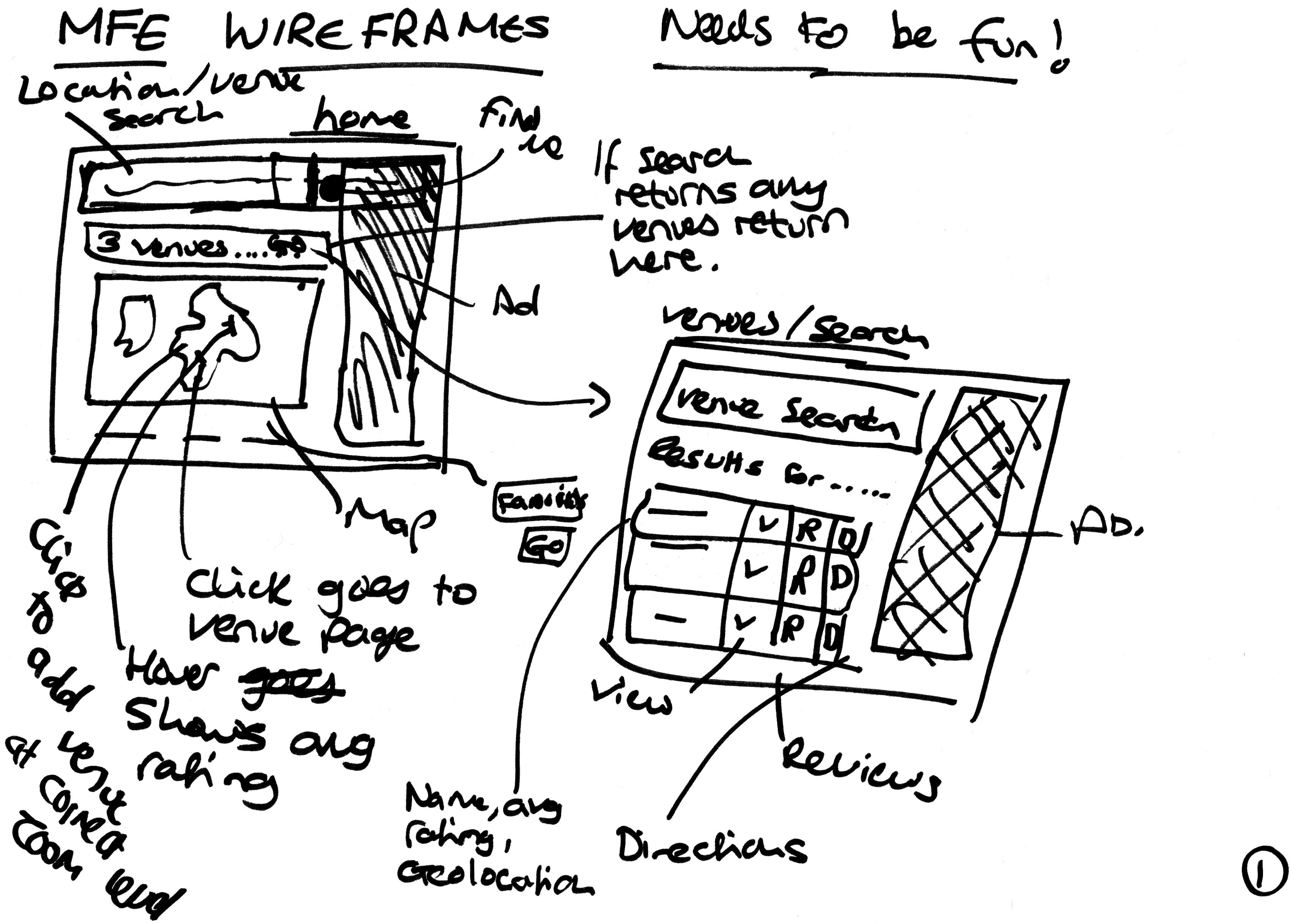
    The initial design phase has to exclude all detail. To force this approach I took a Sharpie pen and some blank pieces of paper. Firstly I identified my main user paths. Luckily for MFE, there are only 2 of them.

    1. I need to find a venue for my breakfast
    2. I’ve just finished my breakfast and I would like to add a review

    Both of these paths need to be achieved in as few amount of steps as possible and work on both mobile and desktop devices. Here are some of the initial sketches.

    MFE Wireframe
    MFE Initial Design

    Ok, I’m unlikely to win any art competitions but by roughly sketching out ideas I managed to get a much better idea of what the flow of the site needed to be.

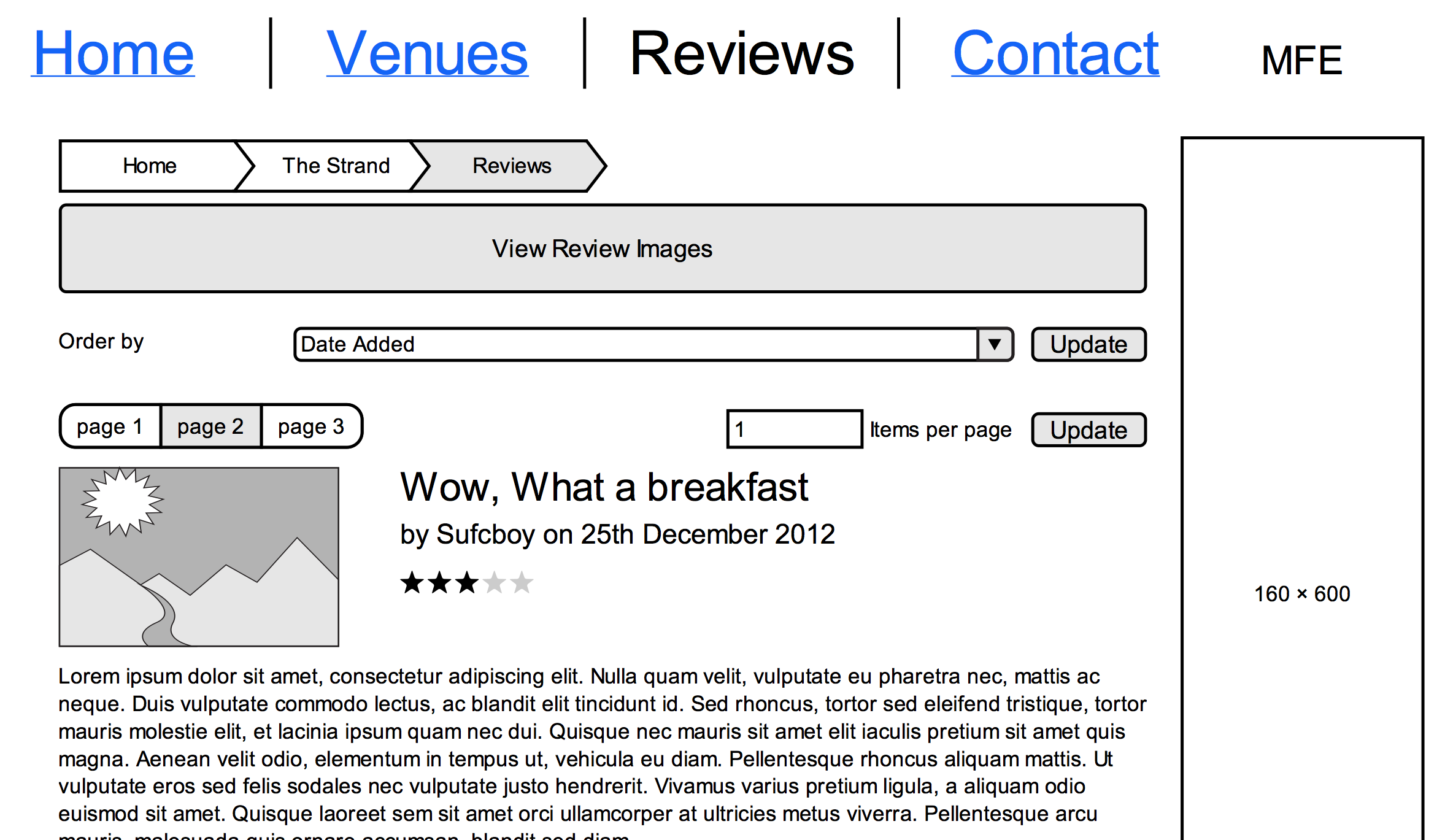
    Once I was happy I created a digital version of the designs and flow to make it easier to share and reference. I used Mockingbird, which is a very easy-to-use wire-framing tool and is free for 1 project.

    MFE Digital Wireframe
    MFE Digital Wireframe

    Once transposed I exported it to a PDF which I could then share with others and also use as a constant reference for the ultimate goal of the project.

    What Next

    In the next post, we’ll look at how we are going to manage this project

  • Deploying to AWS with Phing

    Deploying to AWS with Phing

    After a recent switch to Amazon Web Services, I thought updating my Phing build XML would be a straightforward task. It wasn’t. There weren’t a lot of resources out there for this particular scenario so I decided to write this blog piece.

    AWS comes with good security out of the box. This is obviously a good thing but it does require a bit more thought when setting up your Phing build file.

    Filesync
    During the process of setting up your micro instance, you will be prompted to create an SSH private key which you can download. Put this file somewhere safe and ensure you update the permissions.

    chmod 644 mykey.pem
    All deployment will be done using the ec2-user user. So to save frustration ensure that this user has the write permissions on your target directory (on your target box).

    Where my file sync previously prompted for a password the identityfile parameter automatically connects to instance.

    <filesync
    sourcedir="${source.path}"
    destinationdir="${target.user}@${target.host}:${target.path}"
    verbose="true"
    checksum="true"
    excludeFile="${exclude.file}"
    identityfile="${source.identityFile}" />
    SCP/SSH
    You would think this would be the same as filesync. Unfortunately not. This requires you to create a public key using your private key. From the private key location run the following.

    ssh-keygen -f mykey.pem -y > mykey.pub
    Now in your build XML add these parameters

    <scp
    username="${target.user}"
    privkeyfile="${source.identityFile}"
    pubkeyfile="${source.pubIdentityFile}"
    host="${target.host}"
    todir="${target.path}/mytargetpath"
    autocreate="true"
    file="${source.path}/local.txt" />
    You should be good to go. Hope this is useful.

  • My Full English – A new beginning

    My Full English – A new beginning

    Making the leap into a complete rewrite can be a difficult one. If you can afford the time it takes and the pros out way the cons then go for it. I’ve been busy working on the latest version of my full English. In my next few blog posts I’m going to go through the process I went through from conception to delivery.

    The latest version of MFE3 is now available. Although nothing special to look at, it does at least allow the same functionality on mobile as it does on desktop devices. Just writing the previous sentence justifies to me all the work I’ve put in to completely re-writing the previous version.

    So what was wrong with the previous version?

    As a developer, you build things with the knowledge you have at the time. When we kicked off version 2, a fully functioning site on mobile was only really ever a side thought. The site was built on a custom framework I had built from scratch which I called Mastersolution. Despite the cool name, the framework was very unloved. It was basically a bespoke MVC framework using Smarty as the template engine. When we completed the desktop version we thought ‘oh we had better do a mobile version’. A quick redirect with device detection took you to the ‘mobile’ version. All you could do is find venues near you and get directions to those venues. The functionality to add new venues and reviews just wasn’t available? This sucked.

    So what did the new version have to do?

    I set out clear goals and objectives with the new version of my full English.

    1. I would use the new version as a vehicle to learn as many new technologies as possible
    2. I would concentrate on MFE until I have at least 100 reviews added (hopefully not just by me although 100 full English breakfasts do sound tempting)
    3. The same functionality should exist on the desktop and mobile versions of the site

    What were the initial decisions?

    Framework

    I decided that it was time to move with the times and move to either Zend 2 or Symphony. A similar debate was happening at work at the time. And Zend 2 was decided as the way to go.

    Responsiveness

    I had decided that Twitter bootstrap was the best way to go. I had used it before, and as a ‘backend’ guy I loved how easy it was to make things look nice.

    What next?

    So I was all set for my journey into the unknown. See how I get on in the next blog piece!

  • PHPUnit Dramas

    A frail PHPUnit suite is one thing, but one that completely crashes MySQL is something else entirely!

    I wanted to do a quick blog as this problem isn’t well documented and I want to save people the same pain I went through.

    The problem manifested on a rather large suite of tests with a dedicated MySQL instance. When running the suite we were getting ‘database gone away’ errors in our DB unit tests. Our first thoughts were that it was potentially an issue with our out-of-date version of MySQL. Upon investigation, though it appeared the problem could be replicated and indeed fixed.

    The problem seemed to be a number of things.

    1. Multiple table creation scripts for the same table (I know)
    2. Mixing up engine types for tables within the same database
    3. Having MySQL comment blocks in the table creation statements
    4. The use of set foreign constraints statement

    After much pain, the suite was eventually restored to working order. The lesson learnt was to centralise all of the DB unit table creation scripts. This ensures 1 point of entry for changes and debugging.

  • Innovation

    Innovation

    How do I innovate? Do I need to invent something new? How do I measure success?

    As a developer, I’m often looked upon to use technology to improve processes. This to a degree is innovation but you don’t necessarily need IT solutions to innovate something. You just need a good imagination.

    “Imagination is more important than knowledge. For knowledge is limited to all we now know and understand, while imagination embraces the entire world, and all there ever will be to know and understand.”
    Albert Einstein

    Often when I oversee a process it’s easy for me to offer suggested improvements mainly because I’m neutral about it. I bring an outsider’s perspective. Becoming too close to any system can lead to not seeing the wood for the trees. I’ve compiled a simple suggested list of things to do which could help define your next project. By looking at something that needs improving you can follow the list and hopefully identify how to innovate it.

    1. Issues with the current process
    Make a list of every single bugbear you have with the existing process. Anything that is causing the process to be slow or inefficient. Every small thing no matter how trivial is worth noting down. Sometimes the small things are the quickest things to fix and have a larger positive impact than you may think.

    2. Goals of the new process
    What are the ultimate measurable goals that can be used to assess the success of the new process? Some examples may be the time to process a record, the number of people required for the process and the cost to run the process. Make sure you mark down the values of the current system so have something to measure against.

    3. Forget everything you know
    If you were to start again today, how would you set up the process? Think in terms of ultimate solutions. Don’t think about any constraints, just consider a perfect world and a perfect system. Does the new system avoid the issues listed in part 1? Good, then you’re ready for step 4.

    4. Feasibility
    Carry out a feasibility study to see how much of the ultimate solution is possible. Looks at budget and time restraints. Think about the downtime of existing systems and how you can deploy the new solution.

    5. Build
    I would recommend using an Agile approach in delivering the solution. Aiming to get quick wins out there into the real world ASAP. Look at 3rd party solutions to hit the ground running. Don’t try to reinvent the wheel. By introducing these changes quickly you can get buy-in from the users.

    6. Assess
    Once you’ve completed the changes that budget and resource has allowed, take a look at your initial goals. Did you hit most of them? Yes, then it was a success. Cross-reference your ‘perfect solution’. Maybe you already have an idea about your next project may be.

    Processes, technology and requirements are always in constant flux. You should look to re-assess any system at regular intervals to see if you can make further improvements. Remember 3rd parties may be able to help in the future if they can’t at the moment.

    I hope you find this useful.

  • Essential LAMP tools

    Essential LAMP tools

    For the last time am I going to utter the words ‘I wish I’d found this earlier’. There are so many great tools out there for developers that it can become overwhelming. I used to just accept the flaws in my text editor or database client. Often telling myself ‘it’s better the devil you know’. Recently, however, certain frustrations have caused me to reassess the tools I am using. At this current point in time, I have reached a state of LAMP developer nirvana! This article is to help you reach the same higher state of consciousness!

    OK, few points to know before we kick off. I am very tight with my cash. Despite this, I am a keen Apple advocate (maybe the two traits aren’t entirely unrelated). The tools I’ll talk about will be for OSx but I’ll try to mention some Windows tools along the way.

    MySQL
    Free GUIs for MySQL have come a long way since the free ones provided by MySQL. The latest incarnation is Workbench. The killer functionality here is the ERR modelling creation tool. You create your database, tables, initial inserts and relationships. Hit forward engineer and hey presto! Your schema is all up and running. And you also have a fully documented schema. As a habit, I try to add comments to all tables and some columns. This diagram process is one of my first tasks for any new project. The query editor for Workbench doesn’t include a decent auto-complete functionality. An essential feature if you ask me. For this try Sequel Pro. It’s snappy, free and highly intuitive.

    Text editor
    OK, the most delicate of subjects. I’ve never really used a full IDE to develop but I hear Eclipse is the front-runner on this. I had been recently using Komodo edit which is a great free text editor. My highlight feature on this is the scanning of other PHP DocBlock comments. Within your current file, it sees you’re calling a method from another class (in another file) and tells you what parameters the class expects. Pure black magic. My only gripe with the editor was that the shortcuts weren’t intuitive and some just didn’t work. I’d found Textmate was better for this so gave Textmate 2 a try. They’ve really dropped the ball on this. Textmate 2 is awful! That’s when I found Sublime Text. Sublime Text will cost you around £45 but it’s worth every penny. Once package control is installed you have a world of useful plugins at your fingertips! For Windows, I always find Notepad++ a decent free editor.

    Source control
    I’ve used CVS and Subversion. Both of which are quite similar. Recently, I’ve made the switch to GIT and I am amazed by it! I’ve implemented a GIT flow approach which means I have a solid workflow which doesn’t interfere with other feature branches on the same code base. Switching to different features is so easy and still makes me go ‘wow’ when I do it.

    Linux/Apache
    I work on the mac mainly as it’s a UNIX-based operating system. This allows me to use a lot of the Pre-built commands available with my personal/work Linux servers. The terminal app is very good on the Mac and likewise Putty on Windows is also very good. For package installation on the Mac Macports is essential and for Linux Yum is superb!

    I guess that’s it for the time being! To take the pain out of setting up your LAMP environment on your mac I would highly recommend Zend’s community server.

    Next time I’ll discuss my project process methodology.

  • My Full English Launched!

    My Full English Launched!

    Last Saturday was a momentous day. It marked the launch of My Full English. The site aimed at the connoisseurs of the decent fry up.

    The idea came about after a recent away trip to Southampton where we needed a greasy hang over cure. We had to actually interact with a human being to find out where we could get one! Can you believe that!

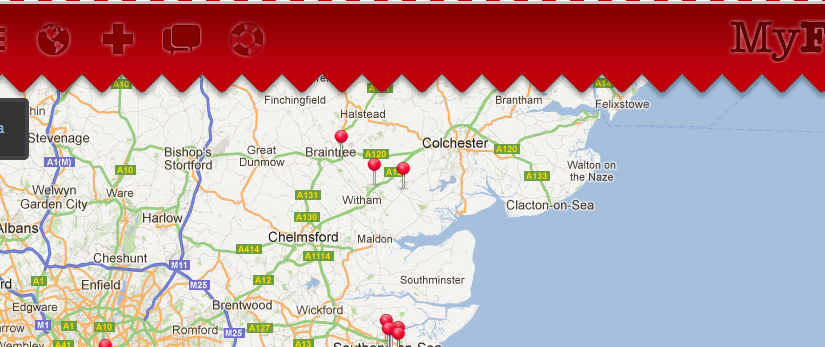
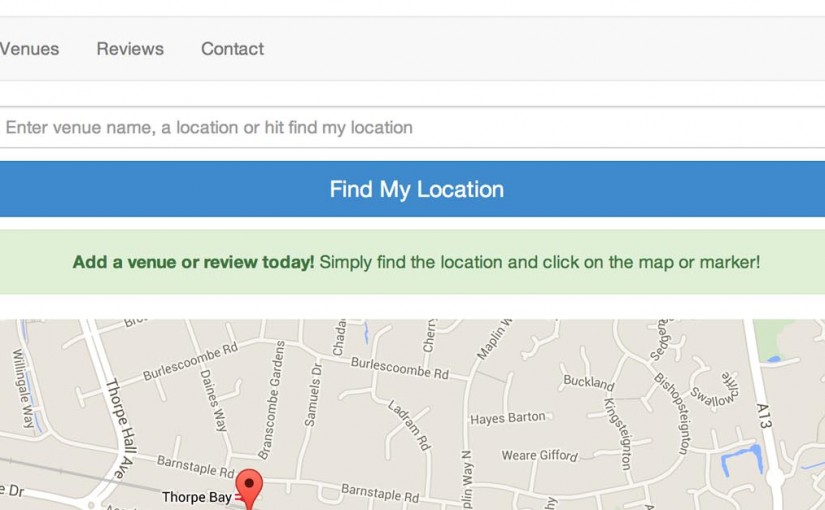
    This is a joint venture between myself and Shane Exley. It uses Google maps to allow users to add their venues which can be anything from a restaurant to your local Cafe. Once a venue is added people can add their personal breakfast reviews along with uploading a photo. The mobile version of the site even allows users to find directions to a venue of their choice.

    We are hoping to get a 100 reviews by the end of next year so please get eating.

    Please let us know your thoughts by adding a comment on the site. Enjoy!